Enterprise operations
software for complex work,
assets, people, places,
and field teams.
MX is a configurable operations platform that connects work management, asset management, mobile field operations, spatial intelligence, forms, reporting, and secure AI automation — across the office and the field.
One operational platform for the work your core systems do not handle well.
ERPs track money. EAMs hold the asset register. GIS shows the map. MX is what connects them to the people, work, and field execution they all depend on.
Twelve capabilities. One configurable platform.
MX is not twelve products bolted together. Each capability shares the same data model, permissions, audit trail, and field execution layer — configured to your operation, not forked from it.
Designed for the field — not just the office.
MX runs where conditions are messy: connectivity drops, data is inconsistent, teams are distributed, sites change daily, and decisions cannot wait for the next sync. That's where most enterprise software quietly fails.
Disaster response
Cyclone, flood, fire — rapid deployment, field reporting, recovery work orders.
Power & utilities
Substations, lines, restoration crews, inspections, damage assessment.
Basecamps & temporary sites
Intake, NFC wristbands, beds, meals, laundry, issue QR codes.
Infrastructure
Roads, water, civil — inspections, contractor management, condition reporting.
Logistics & field ops
Routes, manifests, evidence, escalations — over patchy connectivity.
Enterprise maintenance
EAM-connected maintenance, work history, condition, lifecycle.
Keep field teams working, even when connectivity is poor.
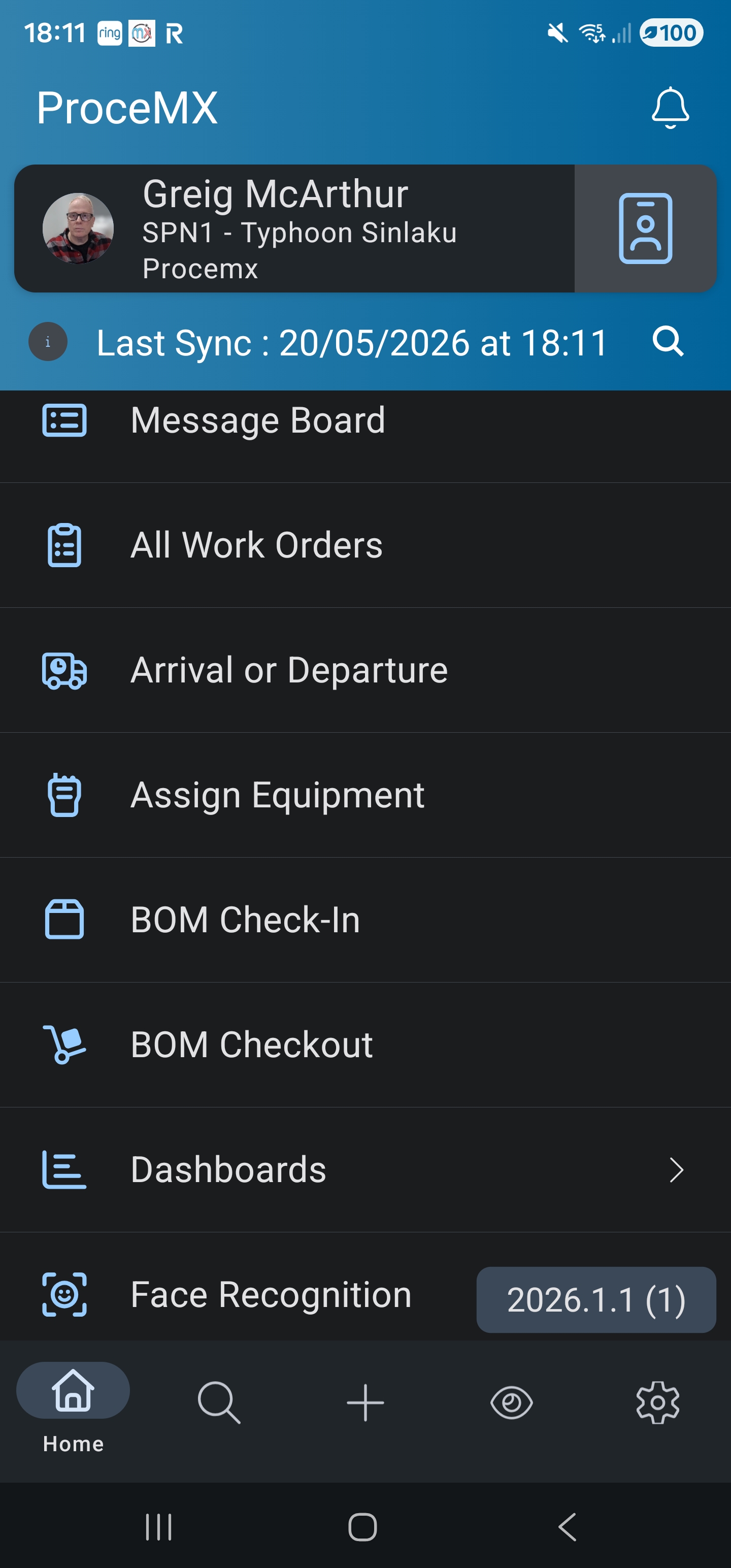
MX+ is the field app for MX. Access work, complete inspections, capture evidence, scan tags and wristbands, and keep working offline. Sync resumes when a connection returns — with no data loss and a complete operational record.
Works offline
Continues capturing work, forms, photos, and updates when the network is gone.
Scans everything
QR, barcode, NFC tags. Wristbands and badges for basecamp ops.
Built for evidence
Photos, notes, signatures, geotag, walked site boundaries — all linked back to the work and asset.
Crew-aware
Assignment to individuals or crews. Supervisor visibility on the same record.
MX+ is designed for environments where connectivity cannot be guaranteed — disaster zones, remote sites, utilities, temporary facilities, basecamps. Field teams continue capturing work, forms, inspections, photos and updates, then synchronize when a connection becomes available.
Spatial intelligence, built into operational work.
Not just a map. MX:Spatial connects locations, assets, work, routes, zones, and site layouts to the operation around them — and turns messy enterprise data into usable spatial intelligence.
Beyond points on a map
Lines, polygons, routes, service areas, site layouts, operational zones — each connected to the work, assets, and crews around it.
Make non-spatial data spatial
Clean addresses, resolve regions, enrich coordinates, generate features — so data that never had a location can still go on the map.
Location-aware work
Assignments and inspections aware of where they happen and what is nearby — the work carries its location, not just an address.
Track assets, not just crews
Positions stay current from third-party telematics — vehicles, trailers, equipment. Location history shows where a machine has been, not only where it is.
Reefers by what they are doing
Every refrigerated trailer is colored on the map by its state — holding its set point, drifting out of range, switched off, or no longer reporting. The silent one is the one that costs you a load.
Field-captured boundaries
Whoever is standing in the yard walks its boundary on their phone. That becomes the shape every map screen and zone rule uses — not an office task done later from a satellite photo.
Turn operational activity into auditable, projected, rules-driven cost lines.
The Finance module is project-scoped, lives inside MX, and runs on a hybrid engine: a nightly sweep recalculates fixed and recurring charges while event hooks attach per-activity and per-completion charges in real time. Every line is reversible and audited.
Generated, not entered
Cost lines are created automatically from the activity already captured in MX — scans, completions, mileage, manual entries.
Rules, not code
Administrators define billing rules with a predicate builder. Change billing behavior without a release. A new project's charging is set up by its own administrators.
Projected to project-end
Issues surface before they hit the budget. The dashboard shows spend to date, budget vs actual, and projection to end of project.
Built for control
Voids, reversals, dry-run sweeps, on-demand sweeps, manual lines. Full audit trail per line, Excel and JSON export.
Every charge explains itself
Open a person or an asset and see why it is charged as it is. What is not being charged at all is listed too, rather than quietly missed.
Client and supplier, same day
Subcontracted work bills the way it happens: the same day's work is charged to the client and costed from the supplier, side by side.
Project administrators configure rules and investigate discrepancies. Operations managers open the Project Financials dashboard for spend, budget, and projection. End users see, on their own user record, the costs they have personally generated on a project.
↳ Lives inside MX. Uses existing project, item, scan, work and activity records. No separate data entry. No separate login.
AI that works inside your operational platform — with context, permissions, and control.
We're all-in on AI, but not reckless with it. AI extends MX through chat, document intelligence, MCP-enabled tools, and event-driven automation — always within the platform's permission, security, and audit model. It does not bypass governance. Ever.
Eight controls every AI action passes through.
Operational assistant
Ask questions, search operational knowledge, summarize activity, interact with approved MX functionality.
Document AI / RAG
SOPs, manuals, asset documents and procedures — queried through controlled retrieval, grounded in approved content.
MCP architecture
Controlled AI access to internal and external capabilities, preserving governance and role-based access control.
Event-driven agents
Triage incidents, group related work, summarize SITREPs, notify teams, prepare reports — within guardrails.
Fits into your enterprise architecture.
MX often sits between enterprise systems and the operational frontline, turning fragmented data into usable workflows for the people who need to act.
Enterprise APIs
REST, webhooks, and event streams. Versioned, documented, and access-controlled.
Identity & SSO
SAML, OIDC, SCIM. Role mapping from your enterprise identity provider.
Data warehouse
Operational data feeds for analytics, BI, and downstream reporting.
Custom systems
Customer-specific legacy systems supported through point integrations.
One consistent structure across every environment. Introduced alongside what customers already use, with nothing moved or renamed, and search that still answers to the old names. No one has to relearn the system.
SOC 2 Type 1 examined. Type 2 under way.
ProceMX completed its SOC 2 Type 1 examination in September 2026, and the Type 2 examination is in progress. The report is available on request. Underneath it: access control, audit trails, and AI that works inside the same rules as everyone else.
We hold a SOC 2 Type 1 report and are working toward Type 2. We do not claim ISO 27001 certification or HIPAA compliance. For customers with other framework requirements, we work through them as part of the engagement — and document what we deliver.
Operations that cannot afford to fail quietly.
MX is shaped by real customer environments — emergency response, utilities, infrastructure, basecamp operations, logistics, government-adjacent work, and enterprise maintenance.
Emergency management & disaster response
Rapid deployment, field accountability, situational awareness, recovery work orders, mobile-offline, auditability.
Discuss your operation →Utilities & infrastructure
Substations, lines, restoration crews, inspections, damage assessment, condition reporting.
Discuss your operation →Facilities & camp operations
Basecamps and temporary facilities — intake, NFC wristbands, beds, meals, laundry, issue QR codes, SITREPs.
Discuss your operation →Government & public sector
Government-adjacent operations with security review, audit trail, and integration-heavy environments.
Discuss your operation →Logistics & field operations
Routes, manifests, evidence, dispatch — across patchy connectivity and distributed teams.
Discuss your operation →Enterprise maintenance organizations
EAM-connected maintenance, work history, condition, lifecycle visibility, contractor management.
Discuss your operation →Ready to connect your operational work,
assets, people, and field teams?
Tell us about your operation — your work types, your field teams, your spatial environment, your existing systems. We'll show you what MX would look like for you, with no abstract demos.